Optimizing Your Content for Search Engines
Introduction In 2026, most website traffic comes from mobile devices, yet many WordPress sites still struggle with slow loading times on phones. A sluggish mobile experience frustrates visitors, increases bounce rates, and hurts your search rankings.
Google’s Core Web Vitals are now a key ranking factor, and they are measured primarily on mobile. Optimizing your WordPress site for mobile speed not only improves user experience but also boosts your visibility in search results.
This guide shares proven steps, tips, and common mistakes to help you speed up your WordPress website on mobile and achieve excellent Core Web Vitals scores.
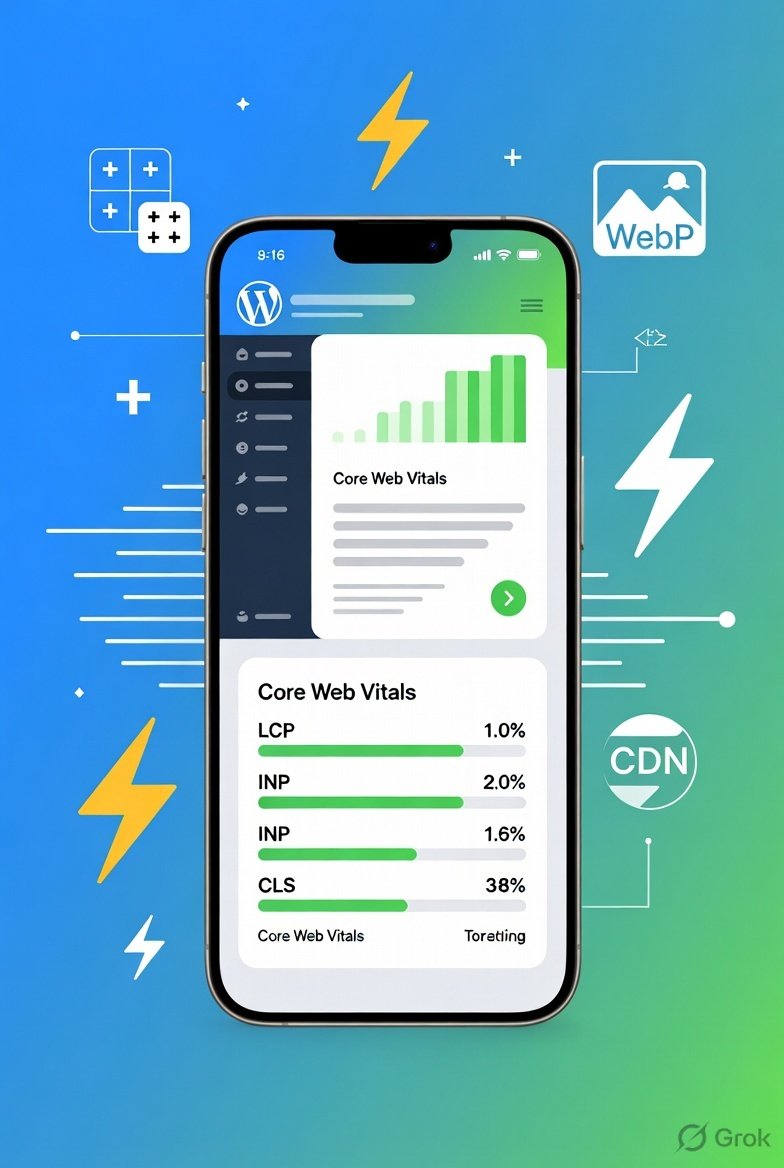
What Are Core Web Vitals? Core Web Vitals measure real-user experience across three main aspects:
- Largest Contentful Paint (LCP): How quickly the main content loads (aim for under 2.5 seconds).
- Interaction to Next Paint (INP): How responsive the site feels when users tap or click (aim for under 200 ms).
- Cumulative Layout Shift (CLS): How stable the page layout is during loading (aim for under 0.1).
Poor scores on mobile can significantly impact your SEO and conversions.
Steps to Speed Up WordPress on Mobile
- Choose Fast Hosting and Enable Server-Side Optimizations Start with reliable managed WordPress hosting that supports PHP 8.x or higher, server-level caching, and Brotli compression. Upgrade if your current host has high Time to First Byte (TTFB).
- Implement Caching and a CDN Install a powerful caching plugin and configure mobile-specific caching rules. Use a Content Delivery Network (CDN) like Cloudflare to serve assets faster to users worldwide.
- Optimize Images and Media Compress images, convert them to modern formats like WebP or AVIF, and enable lazy loading. Avoid lazy-loading above-the-fold (hero) images to protect your LCP score.
- Minify and Defer CSS, JavaScript, and Fonts Remove unused CSS, defer non-critical JavaScript, and preload critical fonts and the LCP image.
- Test and Monitor Performance Regularly test your site using Google PageSpeed Insights, GTmetrix, or web.dev with mobile throttling enabled.
Tips for Better Mobile Performance
- Use a lightweight theme or block theme and limit heavy page builders where possible.
- Reduce plugin bloat by disabling or removing unnecessary plugins.
- Enable lazy loading for images, videos, and iframes.
- Optimize for touch interactions and avoid elements that cause layout shifts (e.g., ads, embeds without reserved space).
- Consider advanced tools like WP Rocket, LiteSpeed Cache, Imagify, or NitroPack for automated optimizations.
- Implement mobile-first responsive design with fluid layouts and proper media queries.
Common Mistakes to Avoid
- Ignoring mobile-specific testing and only checking desktop performance.
- Overloading the site with too many plugins, which increases JavaScript execution time and hurts INP.
- Using unoptimized high-resolution images without compression or modern formats.
- Forgetting to preload critical resources or lazy-loading the main hero image, which tanks LCP.
- Not addressing font loading issues that cause invisible text or layout shifts.
Conclusion Speeding up your WordPress site on mobile is essential for better user experience, higher engagement, and improved SEO rankings in 2026. Focus on Core Web Vitals by starting with solid hosting, caching, image optimization, and code-level tweaks.
Test changes regularly, keep your site lean, and prioritize real-user performance over perfect scores. A fast mobile experience will help you retain visitors, improve conversions, and grow your online presence naturally.
Frequently Asked Questions (FAQs)
1. What are Core Web Vitals and why do they matter for WordPress sites in 2026? Core Web Vitals are Google’s metrics that measure real-user experience: Largest Contentful Paint (LCP), Interaction to Next Paint (INP), and Cumulative Layout Shift (CLS). In 2026, they remain a strong ranking factor, especially on mobile. Good scores improve SEO, reduce bounce rates, and increase conversions.
2. How do I check my WordPress site’s Core Web Vitals? You can check them using:
- Google PageSpeed Insights (pagespeed.web.dev)
- Google Search Console (Core Web Vitals report)
- GTmetrix or web.dev Always test with mobile mode enabled.
3. What is a good score for Core Web Vitals on mobile?
- LCP: Under 2.5 seconds (Good)
- INP: Under 200 milliseconds (Good)
- CLS: Under 0.1 (Good) Aim for “Good” ratings in all three metrics for the best SEO and user experience.
4. Which plugin is best for speeding up WordPress on mobile? Popular options in 2026 include:
- WP Rocket (premium, easiest)
- LiteSpeed Cache (free & powerful)
- NitroPack (all-in-one automated solution)
- FlyingPress or Perfmatters (for advanced users) Choose based on your hosting and technical comfort level.
5. Does image optimization really improve mobile speed? Yes. Large, unoptimized images are one of the biggest causes of poor LCP on mobile. Compressing images and converting them to WebP or AVIF format can significantly improve loading speed and Core Web Vitals scores.
6. Should I use lazy loading on my WordPress site? Yes, but carefully. Enable lazy loading for images and videos below the fold. Avoid lazy loading the main hero (above-the-fold) image, as it can hurt your LCP score.
7. How can I reduce layout shifts (CLS) on my WordPress site? Reserve space for images, ads, and embeds using proper width and height attributes or aspect-ratio CSS. Avoid inserting content that pushes existing elements down after the page starts loading.
8. Is mobile optimization more important than desktop in 2026? Absolutely. Since most internet traffic is mobile-first, Google primarily uses mobile performance for indexing and ranking. A slow mobile experience can hurt your overall search rankings.
9. How long does it take to see improvements after optimizing Core Web Vitals? You can see performance improvements immediately in PageSpeed scores. However, SEO ranking benefits may take 2–4 weeks to reflect as Google re-crawls and re-evaluates your site.
10. Do I need coding knowledge to speed up my WordPress site on mobile? Not necessarily. Many optimizations can be done using good plugins (WP Rocket, LiteSpeed Cache, etc.). For advanced tweaks like deferring JavaScript or preloading critical resources, some basic technical understanding or professional help is recommended.